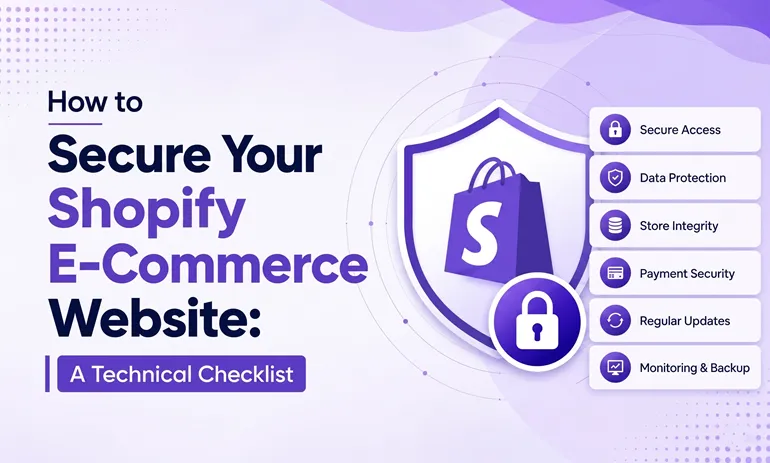
How to Secure Your Shopify E-Commerce Website: A Technical Checklist

The excitement of having your first-ever e-commerce platform is so enticing that it is evident you may end up missing a few crucial elements. One of them is configuring your website to make it secure.
Let’s be honest here, the entire foundation of credibility is resting upon how secure and meticulously the database is being handled. Shopify website development company is your perfect ally to fortify your operations from foreign threats.
Why Securing Shopify is Essential?
Let’s consider it with an example, suppose you own a grocery store, will customers really buy the items from you if your shop is constantly being infiltrated by rats and bugs?
The same goes for online shopping; if a website has a long history of compromising consumers’ data and getting infiltrated, the more negative goodwill it will create.
Many cyber-attacks are easily done due to:
- Weak passwords
- Unsafe third-party apps
- Poor admin access control
- Fake login attempts
- Unsecured custom code
Unfortunately, hackers aren’t just going after the big brands. But small to medium-sized businesses are now more vulnerable, as the attackers believe that they might be less secure.
Practices to Secure Your Shopify E-Commerce Site
Developers often copy and paste the JavaScript and liquid code from a random source and don’t really focus on optimizing it. This makes the website prone to an XML attack and various other malicious infiltrations.
As a rational business owner, here are some checklists, or let’s say essential considerations to make while getting started.
1. Secure Payment Gateway
Most of the infiltration attempts are made during the payment phase, as not all the payment gateways are equally secure. And that’s the advantage that malicious actors take to steal the customers’ data and attempt phishing.
So whenever you proceed to integrate a payment gateway, look for these compliance:
- PCI-DSS Compliance: This is the highest standard of security when dealing with cardholder information.
- SSL Encryption: A secure payment gateway should be able to use HTTPS and encrypted data transfer so that the data is not intercepted in the process.
- Fraud Detection Tools: The built- in fraud detection protection monitors and analyzes fraud.
- Tokenization Support: It helps to minimize the risk of data being stolen by replacing the sensitive card data with encrypted tokens.
- Multi-Factor Authentication: Multiple authentication layers make it more difficult for anyone to try to make a payment or commit a fake transaction.
2. Role-Based Access
The best security practice is to offer role-based access to the backend so that only selective individuals can access it. And as a business owner, you truly don’t want to offer admin access to every individual, as it loses the entire meaning of authority.
The best way to execute this hierarchy is by:
- A content writer can only access the blog posting and product description sections.
- Customer support can only access customer details and necessary product-related information.
- A marketing professional may need analytics and campaign access.
- Only technical administrators should have permission to modify themes, payment settings, APIs, or backend configurations.
3. Regular Testing and Audits
Owning a website from a professional Shopify development company isn’t just a one-time process. It’s not that you have made your website live, and the rest of things will take care of themselves.
A security audit is a systematic way to review the performance of a website and assess risk in a timely manner. In such a scenario, you need to partner with a reliable and trusted professional to assist you with the technicalities.
4. Put Less Reliance on Third-Party Plugins
Various third-party plugins are prone to vulnerabilities and can even slow down the performance of the Shopify website. These are the things only an expert e-commerce development company in the USA makes you aware of; otherwise, going with a lesser-known development agency won’t really give you the much-needed insight.
Final Verdict: Additional Tips to Make Your Shopify Store Secure
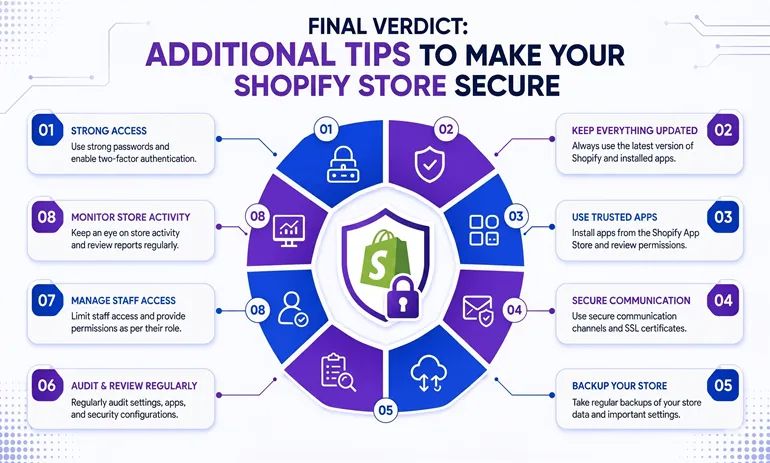
Although the Shopify store is secure, that doesn’t simply mean you can totally rely on its existing features. There is still more to be done when it comes to security to avoid downtime, cyberattacks, and the exposure of customer data.
As with any business, safeguarding customer-sensitive information and payment details is a key part of running an e-commerce store. A secure Shopify store not only safeguards your business but also fosters trust among your customers.
Generate Strong and Unique Passwords
Your password is the initial defence of your Shopify store. Hackers can more easily access your information if your passwords are weak.
These are some simple best practices:
- Mix capitals, lower case, numbers, and symbols
- Do not use names, a telephone number, a birthday, or common words
- Use a longer password for increased security
- Secure passwords with LastPass or 1Password
- Change passwords regularly
Most importantly, do not give out unnecessary logins to anyone.
Use Two-Factor Authentication
Two-factor authentication provides extra security for your Shopify account, and that is something you get complementary with the Shopify website development company.
If the user obtains your password, he or she will still not be able to enter the store without the second verification.
To enable 2FA:
- Go to Shopify Admin
- Open “Manage Account”
- Select “Security”
- Enable “Two-Factor Authentication”
- Select the authentication mechanism you want to use
It’s also a good idea to include a backup authentication mode in case the first one is out of reach.
Track Suspicious Login Activities
Shopify prioritizes security by identifying unusual login attempts, which include logins from strange gadgets or areas.
As soon as suspicious activity is spotted:
- Shopify provides a verification code to your enrolled email address
- You can confirm if it’s a legitimate login or not.
- You can immediately lock the account and change passwords if suspicious!
These alerts are important to pay attention to as they can help to prevent unauthorized access before damage is done. While partnering with a professional and experienced e-commerce development company in the USA.
RCV Technologies equips the emerging entrepreneurs with all the necessary tools and resources to keep them striving in a cut-throat market.
FAQS
Is Shopify secure?
Yes, the Shopify store is quite secure and offers compliance. However, as a store owner, it’s your responsibility to configure additional security protocols.
How often should Shopify store security audits be performed?
You should do them after you make changes or add new things to your Shopify store. Doing these audits regularly helps you find problems with your Shopify store security before they become issues.
Is investment in Shopify worth it for a small business?
Shopify shop is a great investment for small businesses, as it provides a complete package to set up your business online.
Can an e-commerce development company help with fraud prevention?
Yes an experienced e-commerce development company can help prevent fraud. They can set up systems to detect fraud, use ways to process payments, and keep a close eye on transactions. This helps to reduce risks like transactions and the theft of data. An e-commerce development company in the USA can do all this.