How to Ensure Your CMS Remains Secure Against Hackers and Malware?

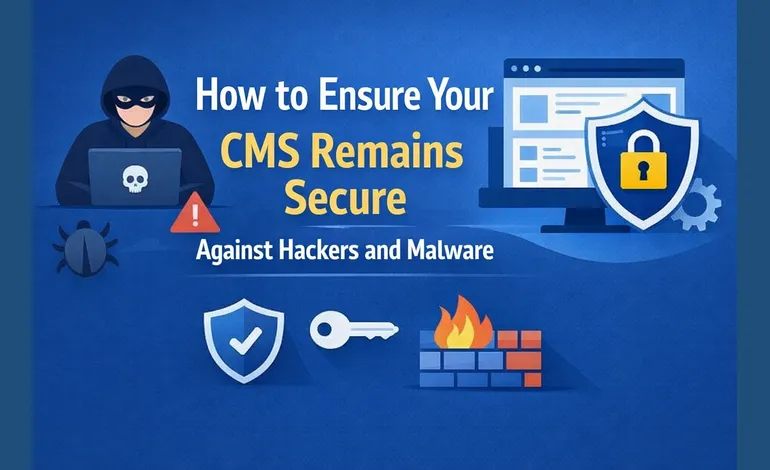
CMS, or mostly renowned as WordPress, needs to follow robust security measures to keep your site protected from malicious intent. Whenever you go for CMS development services or in-house development, there are myriad of assurance to be made.
This article will briefly explicate:
- Security measures to safeguard CMS
- Precautions to take
- And practices to adopt
Without further ado, let’s get into the sketch on how to ensure your CMS remains secure.
Table of Contents
Update Your CMS and Plugins
No matter which CMS you rely on, open source, proprietary, or SaaS based, keeping up with the latest version ensures safety and is free from vulnerabilities.
As per the stats around the globe, 80% of users are stuck with an older version of CMS, making them prone to malicious attacks. Whether it is a theme, plugin, or CMS core, everything should be upto the mark.
Database Indexing
Most of the developers of CMS development services miss out on indexing the database. Slow and unindexed queries make the CMS prone to performance-based DoS attacks.
However, it doesn’t make the site vulnerable to SQL injection or cross-site scripting. But with search abuse and brute force amplification, databases and sites can easily be crashed.
What needs to be done here is to focus on an optimized database indexing that reduces the load and preserves the data integrity.
Data Residue or Data Remanence
When pre-existing plugins or themes are not completely removed, it can surely cause a significant issue for the CMS. And when the unremoved plugins remain on the server, it causes a gap in the security.
If the system has vulnerabilities or contains insecure code, it becomes easy for a hacker to hijack and upload the malware. To tackle such an issue, delete the suspicious PHP files or hidden scripts.
Set Unique Password
This is something that is discussed regularly, don’t keep a generic password! If you are able to remember your password, something is very wrong with your choice.
It should contain special characters, have no definite meaning, or have a sequence in it. To add an additional layer of security, ensure that you are giving an appropriate level of access to new users.
This restricts the new users from getting the admin access and facilitate safe and controlled flow of CMS across the team.
SQL Injections and Firewall
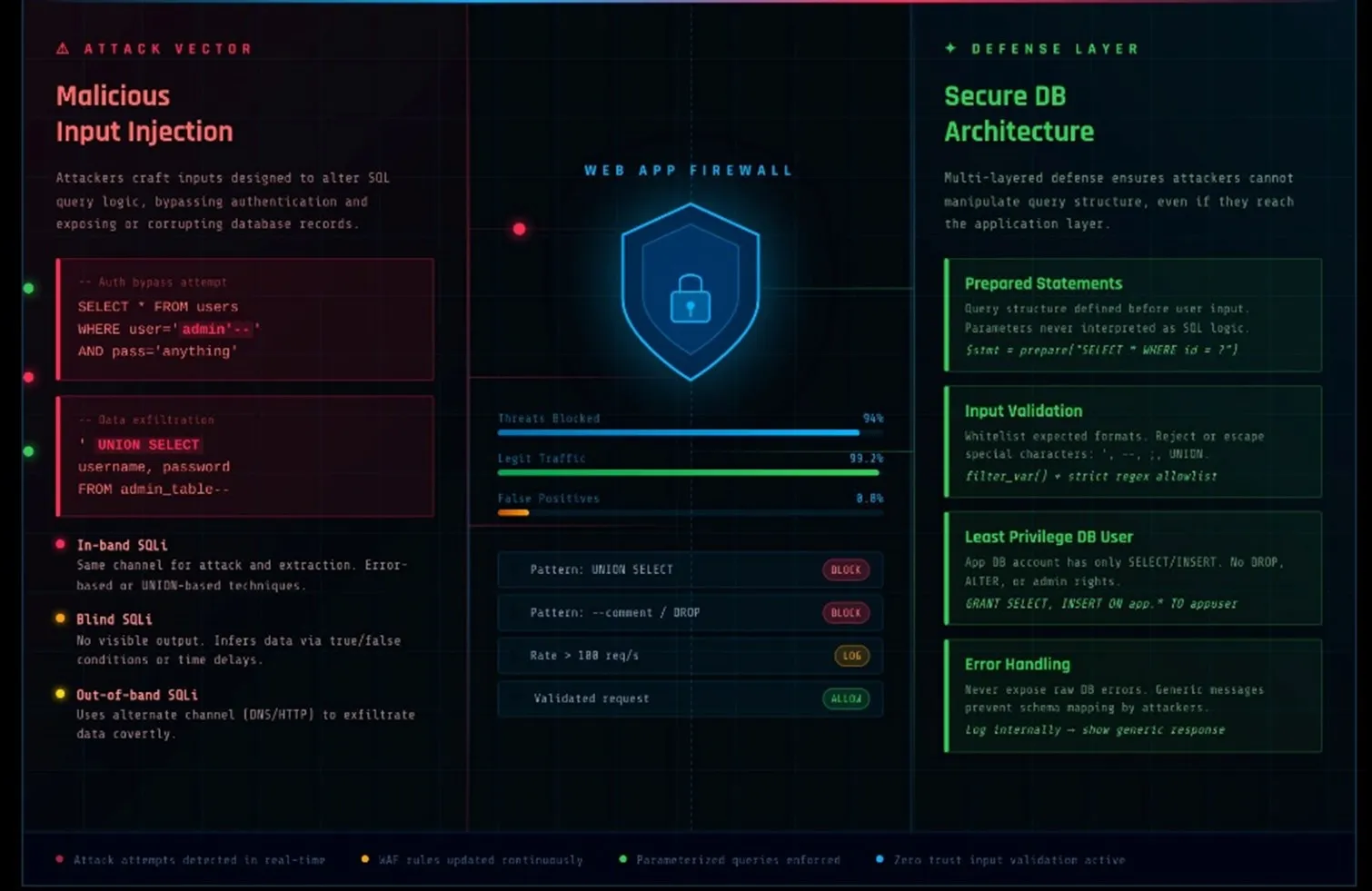
For the initial stages firewall is your arsenal to keep suspicious bots and malicious actors away from the CMS. It can effortlessly mitigate the DoS attack and ensure the flow of your system.On the other hand, during the exchange of information, that is when hackers try to penetrate the system.
They try to inject malicious code into the SQL database, and if the system couldn’t sanitize the request, it would instead retrieve the sensitive data. To prevent this from happening, parameterized queries, data sanitization, and regular security audits are required.By taking care of these aspects, your CMS remains resilient to malicious attacks and safeguards the data. Apart from these considerations, there are certain compliances that need to be adhered to.
Precautions to Take to Ensure the Integrity of CMS
To maintain the workflow and safeguard the CMS from external attacks in the future, there are certain necessary steps need to be taken.
Get ISO 27001 Certified
An ISO certificate acts as a testament that certifies that your CMS remains safe and secure, adding credibility as well. Achieving an ISO 27001 certificate means that the company or hosting is following the international standard for security control.
Changing the URL
The default login URLs for many CMS platforms are predictable and include /admin or /wp-admin. These common inclusions are regularly the focus of brute-force attacks by hackers and bots.
By making it more difficult for automated scripts to find your login panel, changing the default admin URL provides an extra degree of security. This greatly lowers automated attack attempts, but it does not ensure total protection on its own.
Integrating Security Plugins
Implementing security plugins for CMS is also regarded as the best practice and the most effective precaution. Security plugins like Wordfence, Sucuri, and MalCare are the most reliable
inclusions for your CMS.
Final Words
Whenever you consider in-house or avail CMS development services, these are the challenges and precautions that need to be considered to maintain the integrity of your CMS system.
Regardless of whether you are operating on a content-based platform or are entering mobile ecosystems, incorporating custom iOS app development services ensures that high levels of backend security practices are maintained and the level of consistency and reliability at every digital entry point.
FAQs
Should I create a backup to safeguard my CMS data?
Absolutely! Having a backup to keep the integrity of the data is a must. In case of data breach or loss, you would have an alternative to restore everything.
What is the best way to monitor CMS for malware?
Integrating security plugins, daily automated scans, and database inspection are some of the ways you can monitor CMS for malware.
Which CMS are used for custom iOS app development services?
Top CMS choices for custom iOS app development are: Contentful, Strapi, and Sanity.
Is ISO 27001 necessary for websites?
It’s not legally required to have, but it makes your website more reputable and credible among the audience.