
Step-by-Step Guide on How to Build a Single-Page Application with Better Performance


Table of Contents
SPA (Single Page Application) is now an integral part of many businesses and online platforms.
Due to its robust performance and lesser maintenance requirements, it offers a more fluid user interface, making it wider adoption among businesses.
But the ability of SPA hasn’t truly been tapped. This article discusses how to build a Single Page Application with better performance.
How is SPA Build?
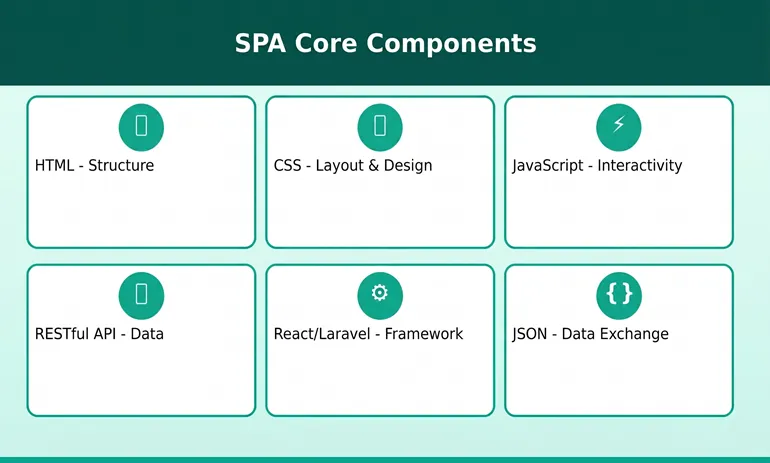
SPA structure comprises the main components that include:
- HTML is the skeletal structure.
- CSS determines the layout of the web page.
- JavaScript is used for adding interactive elements.
- RESTful API for data exchange through JSON.
- Laravel or React for a framework and a set of libraries.
SPA is commonly dependent upon the rendering approach, which means most of the logic runs on the browser rather than the server.
How to Build a Functional SPA?
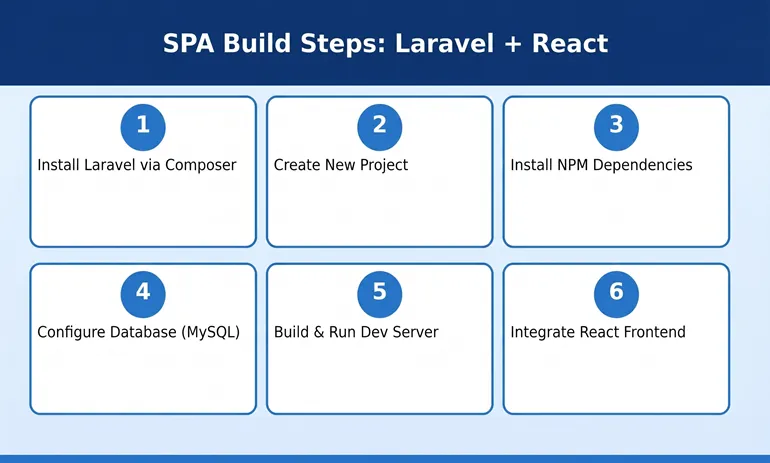
First and foremost, the required step is to choose a framework. For example, we will be using the Laravel + React library as it’s one of the profound choices out there.
To create a project, install Laravel via Composer
composer global require laravel/installer
Create a new project
laravel new example-app
Once the app has been created, install the dependencies using the command below to host the server and queue a worker by using this:
cd example-app
npm install && npm run build
composer run dev
After creating the application, the next step is to configure the data.
DB_CONNECTION=mysql
DB_HOST=127.0.0.1
DB_PORT=3306
DB_DATABASE=laravel
DB_USERNAME=root
DB_PASSWORD=
Then run the application using php artisan serve
php artisan serve
The setup of Laravel is completed, now we have to create the model
php artisan make:model Post
public function up()
{
Schema::create(‘posts’, function (Blueprint $table) {
$table->id();
$table->string(‘title’);
$table->text(‘content’);
$table->timestamps();
});
Once the model is created, set the controller by using this command:
php artisan make:controller Postcontroller
use App\Models\Post;
use Illuminate\Http\Request;
class PostController extends Controller
{
public function index()
{
return Post::all();
}
public function store(Request $request)
{
$post = Post::create($request->all());
return response()->json($post, 201);
}
}
The next step is to generate migration
php artisan make:migration create_post_table
public function up()
{
Schema::create(‘posts’, function (Blueprint $table) {
$table->id();
$table->string(‘title’);
$table->text(‘content’);
$table->timestamps();
});
}
Now execute the migration by:
php artisan migrate
As of now, the backend part with Laravel has been wrapped, no here’s the React part is commenced.
Using React to create a front-end app
npx create-react-app frontend
cd frontend
npm start
Then install Axios
npm install axios
Now the last step requires you to fetch the data from Laravel.
import React, { useEffect, useState } from “react”;
import axios from “axios”;
function App() {
const [posts, setPosts] = useState([]);
useEffect(() => {
axios.get(“http://127.0.0.1:8000/api/posts”)
.then(response => {
setPosts(response.data);
})
.catch(error => console.log(error));
}, []);
return (
<div>
<h1>Posts</h1>
{posts.map(post => (
<div key={post.id}>
<h3>{post.title}</h3>
<p>{post.content}</p>
</div>
))}
</div>
);
}
This is how to build a single-page application with the Laravel+React method. Now, to make it more functional, some additional practices you can adopt are to emulate virtual pages.
So when a user navigates through the application, the URL will change, but the page doesn’t actually get reloaded. Moreover, the SPA relies heavily on API data transfer, which developers can comprehend by monitoring the XHR calls. Keeping track of such metrics allows you to optimize the API calls and work better with a caching strategy.
Strategies to Make It Efficient
In the above passage, we gave you a glimpse of some of the best practices; however, there’s more to it.
- While SPA works efficiently on the web, extending it to mobile will help you a lot. By partnering with an experienced app development company, you can ensure consistent performance across all devices.
- Implementing SSR (Server-Side Rendering) when needed and leveraging PWA (Progressive Web Application).
- Utilizing HTTP/2 and HTTP/3 for multiplexing and reducing latency. This ensures that your network
- Deploy your applications on reliable platforms that are AWS, Google Cloud, and Vercel.
- Use caching to reduce API calls.
- Modular components and implement a RESTful API.
- While learning how to build a Single-Page Application, choosing the right stack and tools becomes quite pivotal. Always rely on React Angular for the frontend and Laravel for the backend.
- Forgetting to enable CORS is yet another significant mistake that leads to the failure of the application. This enables developers to fetch data from different IP addresses.
Final Words
While developing a SPA, mitigating such common pitfalls becomes necessary. Poor API management, lack of scalability, and ignoring crucial configurations are what create the hindrance to truly tapping into the benefits of SPA.
RCV Technologies plays a pivotal role in aiding you to enhance the usability of SPA. We also offer you the scope to transform your web page into an application as a profound iOS apps development company.
By following best practices such as caching, modular architecture, server-side rendering (when necessary), and performance monitoring, you make sure that your application remains stable and responsive as the user demand increases.
FAQS
How does SPA help businesses?
Adopting SPA web page allows businesses to over more interactive and smooth web page, ultimately enhancing the experience of visitors.
Why should we consider expanding our SPA webpage into an iOS application?
Expanding SPA into an iOS native application offers a significant advantage in terms of user engagement. Ultimately, as a business POV, you get more engagement and a better conversion rate.
Why is SPA regarded as faster?
SPA is regarded as one of the webpages as it only refreshes the data rather than the whole page.
Is a Single-Page Application suitable for startup businesses?
Yes, SPA is suitable to cater to each type of business and handle the dynamic realm of market.